

During my time in Henkel I was based fully in the IT department, as an intern. The local IT department within the company is small compared to the other departments but that doesn’t mean it isn’t needed, each person within the department has their specific role which helps the company in maintaining a balance in their technology. They are not alone, they work in conjunction with the service desk which is a twenty-four hours, seven days a week service for the users to call and get any IT help they need; outsourcing is a big part of such a large company, especially in IT as it is needed by everyone at all times and you cannot expect this to be done in company.
I was tasked to help all of the local IT department, I would switch between each person every few weeks so I could learn new skills, but also input some of my knowledge, I was also given my own tasks, as I had some skills that the department needed. They also taught me a lot and allowed me to participate in some training. I completed the Henkel Sustainability ambassador training, which taught me about sustainability and helped me understand how Henkel as a company impacts the world and how they want to change the way they make certain products or certain packaging so they can have a more positive impact on the Earth.
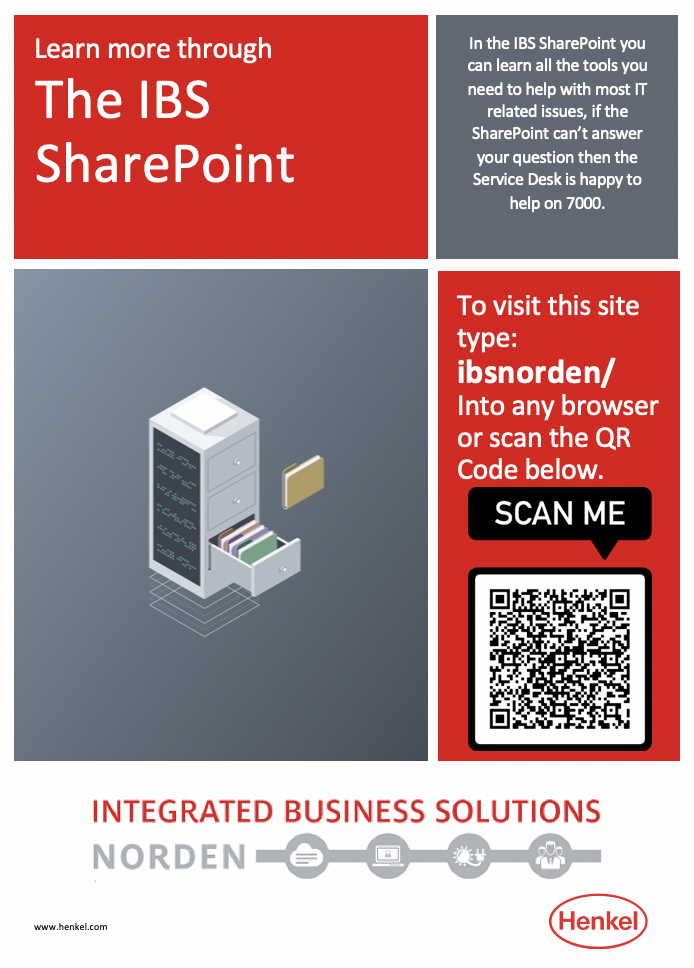
Above is the IBS SharePoint poster designed using the Henkel colours and template.
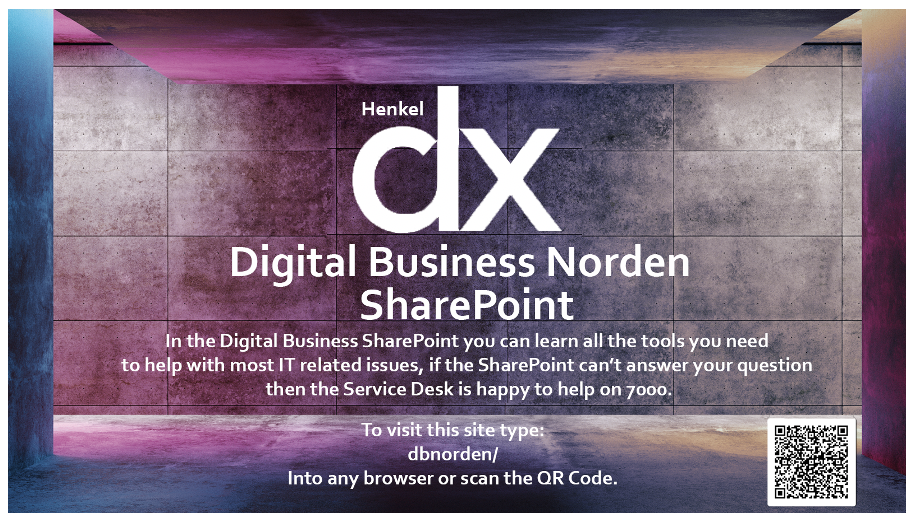
Above is the Digital Business SharePoint poster designed using the Henkel DX colours.
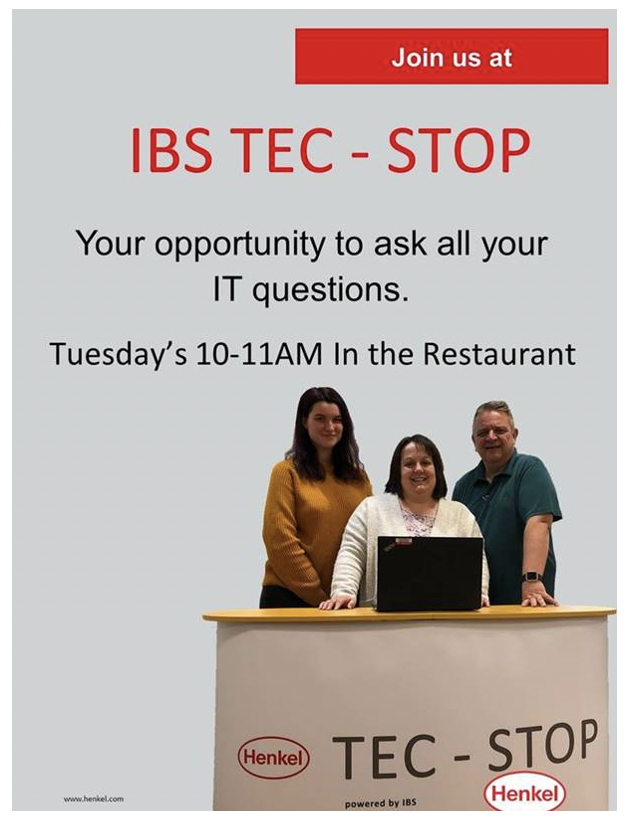
When I first joined the IBS Tec Stop was just getting started. This service was where users in the Hemel building could meet with a member of the IT department with any IT related issues they had. It was thought it would be a brilliant opportunity for me to start by participating in the first one. During the Tec stop users are allowed to come and ask any of their IT questions, there was only three of us there, but we managed to answer all of the questions, it was run every Tuesday ten till eleven. The first one only had two people attend but after a couple of months this had increased to up to six people turning up, this doesn’t seem like much but was a lot for us to get through. Including all the different problems they had which could range from applications not opening, to their laptops not even turning on. I was asked to design a poster to advertise the tech stop this took a while for me to do, as this was actually my first corporate poster, so it was a lot of trial and error, but we finally found one everyone could agree on.
Covid-19 forced the whole office to work from home, including our counterparts from all other countries. It was felt that the Tec stops were going to be a much-needed resource during the lockdown period. We even decided to broaden it to all the other countries included within Norden (the Nordic region) by making it online and a weekly Teams meeting. At first it was just all users asking questions and telling us their IT issues while at home but after a few weeks the numbers started to go down and we were having less participants, we then decided to structured tutorials instead, we would send out an agenda every few weeks to list what we would discuss and let the users choose if they wanted to attend. I lead a handful of these talks, including introductions to teams and how to use it (the company was switching from Skype to Teams at this time), I made tutorial videos and did talks on how to set up company mobile phones, as this was a major issue during my time with some not understanding the process. I also did a few talks on security like Phishing and SMiShing as during working from home our users were more vulnerable and needed the extra reminders. All of this was well received, and my phone videos are still watched and helping users even after the Tec stop.
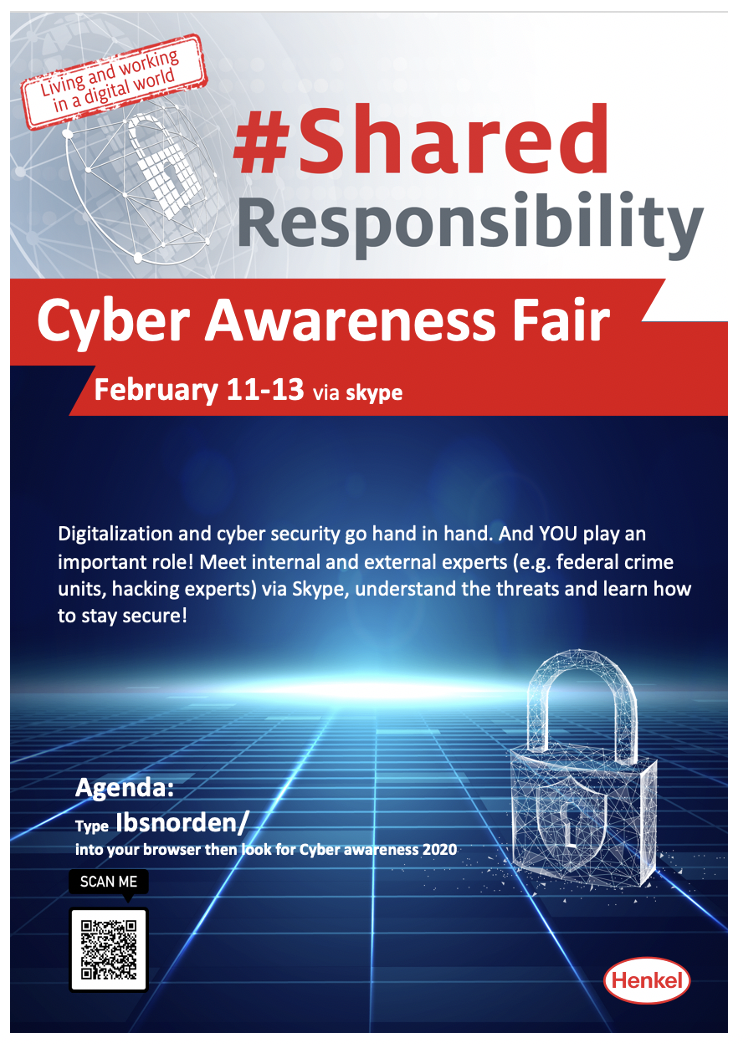
The Henkel Cyber Awareness fair was a much-anticipated event when I first came to Henkel as they have hosted them in previous year. My manager and myself were put in charge of the event this year, this meant attending train the trainer sessions in order to be able to present the information Henkel wanted to put across to the users. Since Germany is the main Henkel site it was all to be based around them and what they do. I also needed to talk to Peter Budden who is the President of Henkel England and Ireland, this was so we could make a promotional video for the fair in order to make people aware and get them interacting with the agenda. I also had to add a page on our SharePoint to share this information and to edit the poster that Germany sent to us in order to make it more applicable for English speaking users.
The train the trainer sessions where held before the event, in total I attended seven sessions. These included Are you alone?, Using public WiFi (in this session we focused on VPN’s and how to secure your phone from re connecting or trusting bad WiFi spots), Ransomware (how to report issues and how to deal with ransoms, don’t pay any money and always back up all your data), How to secure your WiFi (making sure if you get any new technology to change the passwords and how to set your router up). AS well as attending, how attackers use online information against me and friends, do you know what you are agreeing? And how to secure my private accounts. All of these talks where interesting and gave me new knowledge and refreshed me on all my skills that I have previously learnt. It also prepared me for presenting my talks to a live audience and over skype to everyone in the Norden region.
Talking with the president of Henkel for England and Ireland was a new skill for me, I have never conducted an interview before, this involved talking to corporate communication about how to record us and our voices, it was simpler than I imaged with everything being done on an iPhone. First, we recorded my introduction then me interviewing Peter Budden, it went smoothly with no issues. Due to a lack of people being involved in Corporate communications they didn’t have enough people to edit the video before our deadline, using my skills that I learnt at the university, I edited the whole video to ensure we met our deadline and had it uploaded onto the global portal for everyone to view. I was also tasked with making a page on our SharePoint to show the agenda and promote the event. I then updated the Corporate posters we were sent from Germany to only include English and to promote our SharePoint.
Working from home was challenging for everyone at first, I enjoyed it. It was nice to be home with family, but it was also difficult my workflow was steady at first, we were discussing which projects needed doing and what didn’t. I was then set some tasks like PowerPoints, videos, updating the SharePoint and even helping with branding. During lockdown IBS evolved, a new name change got announced to Digital business .Then a month later we found out we would join Henkel DX but still be Digital business Norden, I managed to impress my managers and senior managers with how quickly I transformed our logo to the new name and the SharePoint with the name change, then the new colour and design.

Above is the original logo for IBS.
This was my version after we got asked to move to Digital Business and for me to change the wording in the logo.
This is the new design when we joined Henkel DX and had a colour change.
During my placement I enhanced skills already learned and gained new ones, it was a challenging time due to sudden changes with working from home, but it taught me more about problem solving and self-learning. My time at Henkel was also extended due to my fast turnaround in projects and how I’m always ready to learn something new, this helped me grow my understanding on the tasks set and the company. Placement has been rewarding for me and I feel I have learned more and achieved a lot.